Learn as Read → Merge → Write
Three steps like a Nuke pipe: read in, merge together, write out.
- Read1Try firstAnswer one real question or move a slider. No sign-up.
- Merge2See whyEvery answer tells you why, not just right or wrong, with a picture you can move next to it.
- Write3The next one is waitingEach lesson ends with a "what you learned" card and the lesson worth doing next.
The curriculum is a node graph
Click any node to open that lesson.
- Grey box = a unit (Nuke calls it a backdrop)
- Orange node = free lesson, playable now
- Grey node = part of a full course
Progress is kept on this device only; there are no accounts yet.
QC notes: beliefs that get shots bounced
QC is the check before a shot ships. Open a note to see the truth.
QC 01“A key is a mask, so more contrast is always better”
Truth: Crushing a key to pure black and white eats soft edges like hair and motion blur. Keep a soft key for the edge, a separate hard core key inside, and combine them with max.
QC 02“Screen is the best way to add light”
Truth: Nuke’s screen gives A+B−AB only when values are ≤ 1; above 1 it returns max(A,B), which clips HDR. For light, use plus.
QC 03“Matching blacks = raising lift in a Grade”
Truth: Grade lift pivots at 1, so it also pulls highlights down (lift 0.1 turns 4.5 into 4.15). Use a toe that only touches the darks.
QC 04“Add grain to every element along the way”
Truth: Grain goes on once, as the last node, per channel, blacks first; blue is usually the strongest.
QC 05“Any grade works fine on a premultiplied image”
Truth: Only pure multiplies are safe on premultiplied images. Lift, gamma and offset need unpremult → grade → premult, or the edges go wrong.
QC 06“CG needs pure black to look punchy”
Truth: Almost nothing in a real plate reaches 0. CG blacks follow depth: far things sit in haze, so their black is lifted and tinted.
Lab: hands-on in the mini compositor
19 packs · 121 lessons
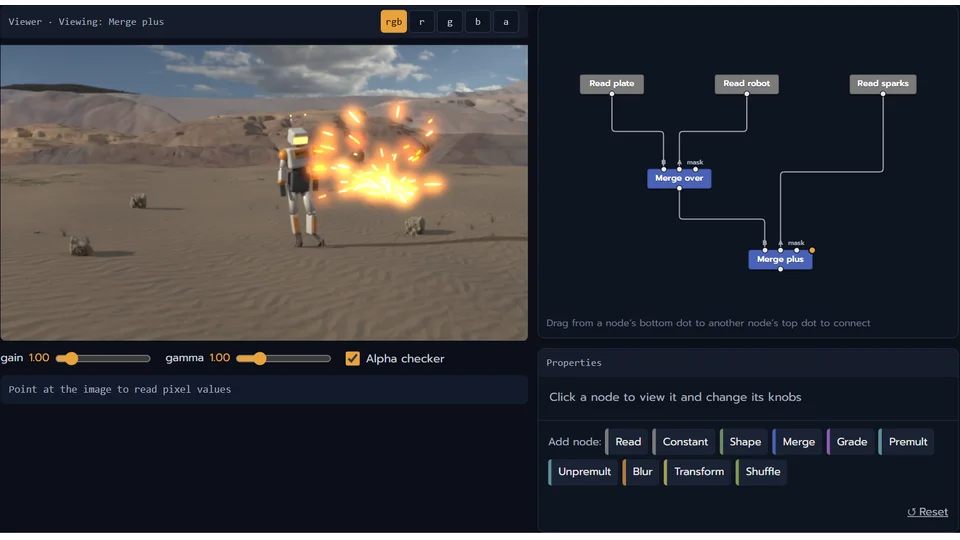
Hands-on packs across comp: basics, colour, camera and lens, keying, integration, finishing, roto/masks and transforms. Change a value and see the result, on an engine whose maths matches Nuke, with images rendered in Blender. A product line separate from the video courses.
Full courses
The locked lessons belong to these courses. None is open yet; each card shows its real status.